Ergonomic Desk Height Calculator
Enter your height to determine if you need a footrest, keyboard tray, or specific adjustments for your current desk.
Analysis Results
Ideal Seat Height
--
From floor to seat surface
Ideal Elbow Height
--
Surface level for typing
You adjust your office chair height for the tenth time today, trying to find that elusive sweet spot where your back doesn't ache and your wrists don't tingle. It’s a common frustration. Most people guess their desk height based on what feels "normal" rather than what is biomechanically optimal. But here is the uncomfortable truth: there is no single correct answer for everyone. The right position depends entirely on your body proportions, your monitor setup, and how long you stay seated.
So, is it better to sit lower or higher? The short answer is neither extreme is ideal if it forces your body into compensation patterns. However, for the vast majority of users, a slightly higher seating position relative to a standard fixed-height desk often leads to fewer issues than sitting too low. Why? Because sitting too low tends to open up the hip angle excessively, which can destabilize the pelvis and force the lower back into an unsupported slump. Let's break down exactly how to find your personal ergonomic baseline, because guessing costs you energy and health in the long run.
The Biomechanics of Your Sitting Position
To understand why height matters, we need to look at the pelvis the bony structure connecting your spine to your legs. When you sit, your pelvis acts as the foundation for your entire upper body. If you sit too low, your knees end up higher than your hips. This tilt rotates your pelvis backward (posterior pelvic tilt), flattening the natural curve of your lumbar spine. Without that curve, your back muscles have to work overtime just to keep you upright, leading to fatigue and pain after just an hour.
Conversely, if you sit too high, your feet might dangle or fail to plant firmly on the floor. This removes stability from your base of support. Your thighs press against the front edge of the seat pan, cutting off circulation, and your shoulders hike up to reach the keyboard. Both extremes create tension. The goal is neutral alignment, where your ears, shoulders, and hips form a straight vertical line when viewed from the side.
| Seat Position | Hip Angle | Spinal Effect | Common Symptom |
|---|---|---|---|
| Sitting Too Low | > 100 degrees | Lumbar flattening | Lower back ache, slouching |
| Sitting Too High | < 80 degrees | Shoulder elevation | Neck strain, wrist pain |
| Ergonomic Neutral | 90-100 degrees | Natural S-curve maintained | Minimal discomfort |
Why Sitting Slightly Higher Is Often Safer
If you are forced to choose between being slightly too high or slightly too low on a fixed desk, err on the side of higher. Here is why: gravity helps you. When your hips are slightly higher than your knees, your pelvis naturally tilts forward (anterior pelvic tilt). This engages your core muscles automatically and preserves the lumbar lordosis-the inward curve of your lower back. You don't have to actively fight to sit up straight; your skeleton supports you.
Think about sitting on a bar stool versus a deep sofa. On the stool, your legs hang down, and you instinctively engage your abs to stay balanced. On the sofa, you sink, your knees rise, and your spine collapses. In an office setting, using a footrest a platform placed under the feet to support them when they do not reach the floor allows you to raise your chair height without losing ground contact. This combination-high seat plus foot support-is the gold standard for many occupational therapists.
However, this only works if your arms remain relaxed. If raising your chair causes your shoulders to shrug toward your ears while typing, you’ve gone too high. The limit is always dictated by your arm position, not just your leg position.
The Elbow Rule: Your Primary Anchor
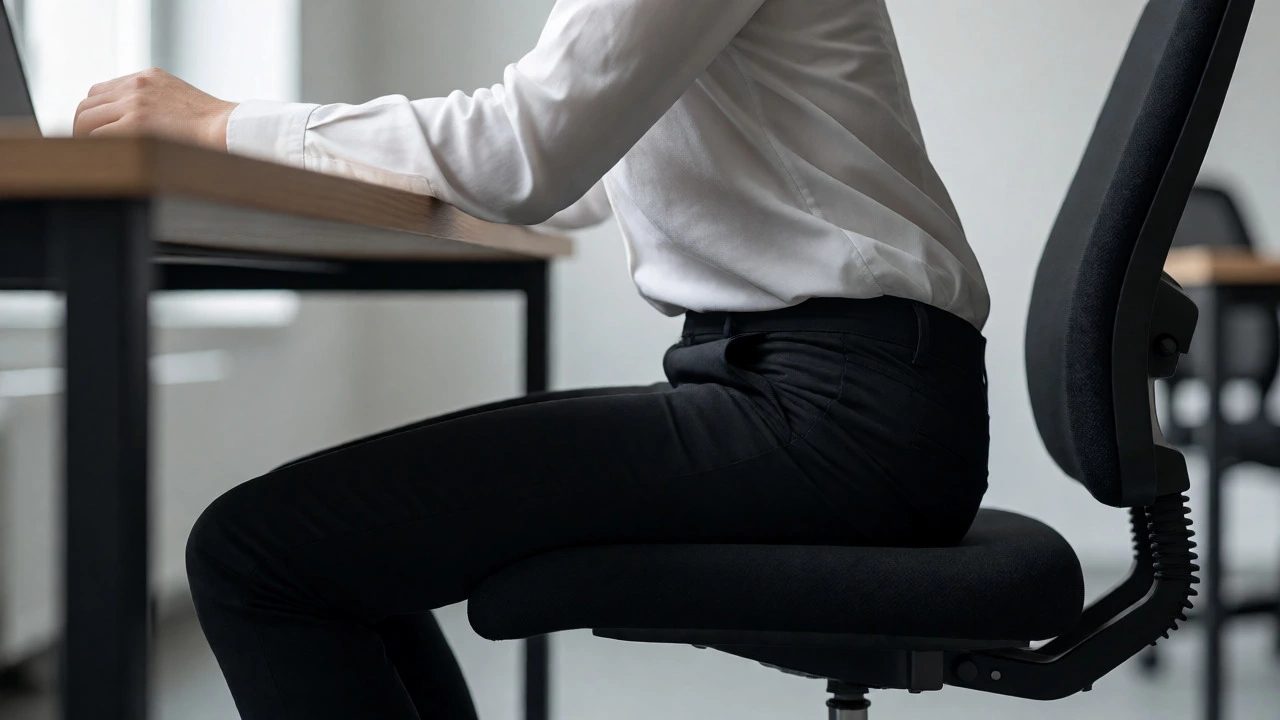
Forget about your legs for a second. Look at your elbows. This is the most critical metric for determining desk interaction. Your forearms should be parallel to the floor, forming a 90-degree angle at the elbow joint. Your hands should hover over the keyboard or rest lightly on the mouse, with wrists straight-not bent up or down.
If your elbows are below the level of your desk surface, you are sitting too low. You are reaching up, engaging your trapezius muscles constantly. This leads to those familiar knots in the neck and shoulders. If your elbows are above the desk, you are pressing down into the table, compressing the soft tissue of your forearms against the hard edge. This compresses the median nerve, a primary cause of carpal tunnel syndrome.
Use this checklist to verify your arm position:
- Stand next to your desk. Adjust the chair so your elbows align with the desk surface.
- Sit down. Keep your shoulders down and back.
- Check your wrists. Are they floating freely or resting heavily?
- If you cannot maintain this position without hiking your shoulders, your desk is too high for your current setup, or you need a keyboard tray.

Monitor Height Dictates Head Position
Your eye level controls your head position, which in turn controls your neck. The top third of your monitor screen should be at or slightly below eye level. This ensures you look slightly downward at the center of the screen, keeping your cervical spine in a neutral position.
Here is where the conflict arises. If you raise your chair to fix your back posture, your eyes move closer to the ceiling. Suddenly, you are looking up at your monitor, causing neck extension. To fix this, you must either lower the monitor (if possible) or raise the monitor stand. Many people make the mistake of lowering their chair to match the monitor, sacrificing their spinal health for their neck comfort. Don't do that. Adjust the monitor, not the chair, unless you have no other option.
Consider using a monitor riser a device used to elevate a computer monitor to eye level. These come in various heights and allow you to decouple your seat height from your screen height. This gives you the freedom to sit at the ergonomically correct height for your body, regardless of the fixed height of your desk.
Special Cases: Tall Desks and Standing Work
Not all desks are created equal. Standard office desks are typically 29 to 30 inches high. For someone who is 5'4", this is often too high. For someone who is 6'2", it is often too low. If you are shorter, you almost certainly need a footrest. If you are taller, you might find that even with your chair maxed out, your knees hit the underside of the desk.
In these cases, consider a sit-stand desk an adjustable desk that allows the user to switch between sitting and standing positions. These desks solve the height mismatch problem entirely. You can dial in the exact millimeter precision needed for your specific body type. Even if you don't plan to stand all day, having the ability to lower the desk to fit your seated posture perfectly is a game-changer for long-term comfort.
If you already have a sit-stand desk, start with it fully lowered. Raise it until your elbows are at 90 degrees. Then, check your knee clearance. If your thighs hit the desk frame, lower the desk slightly and use a footrest to compensate for the gap between your feet and the floor. Yes, you read that right. Sometimes you lower the desk and raise the feet.
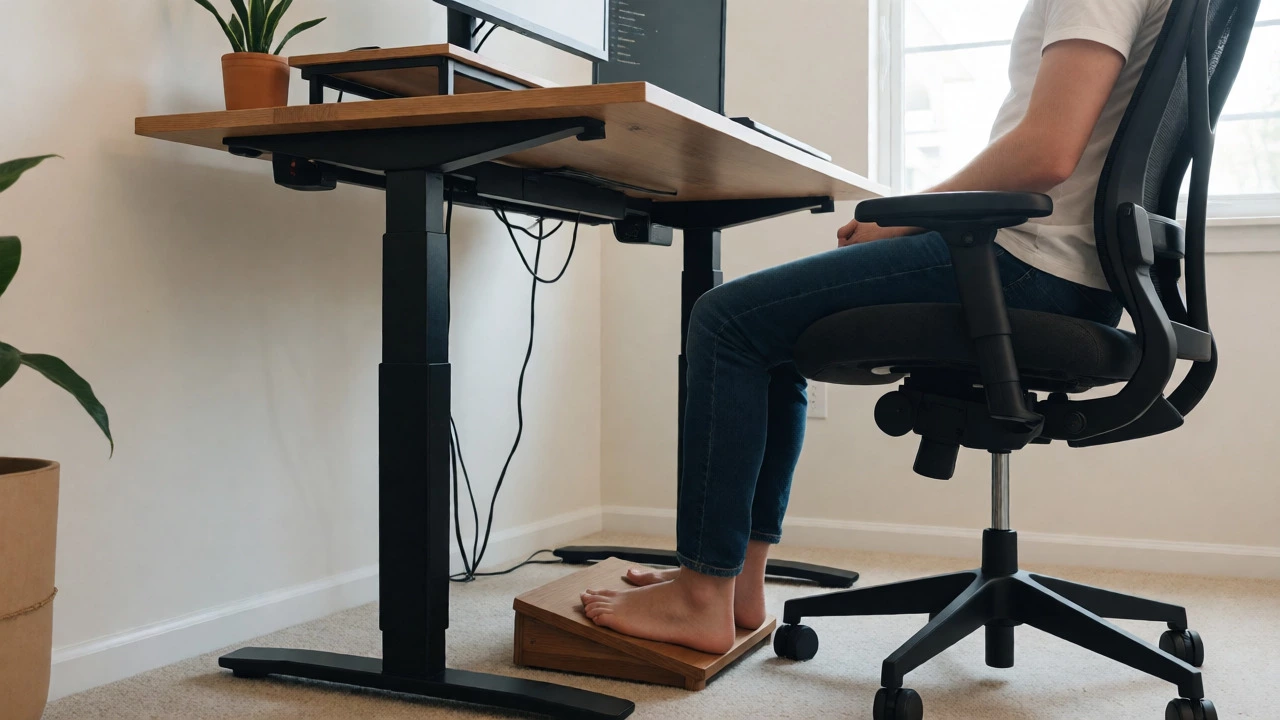
Dynamic Sitting: The Real Secret
Here is a controversial idea: static posture is bad, regardless of how perfect it is. Even if you sit at the mathematically perfect height, staying in that exact position for eight hours will cause stiffness. The human body is designed for movement, not preservation.
Instead of obsessing over one "correct" height, try micro-adjustments throughout the day. Every 30 minutes, change your position. Lean back slightly to open the chest. Slide forward to engage the core. Shift weight from left to right. Some modern chairs, like those with active sitting mechanisms, encourage this by making balance part of the experience.
If you feel pain in a specific spot, that is your body telling you to move. Don't just adjust the knob on your chair. Stand up, walk around, stretch your hip flexors. Hip flexor tightness is a major contributor to poor sitting posture, as tight muscles pull the pelvis out of alignment. No amount of chair adjustment can fix muscle tightness.
Quick Setup Protocol
Ready to reset your workspace? Follow these steps in order. Do not skip the footrest step if your feet aren't flat.
- Clear the Desk: Remove clutter to ensure your arms have room to move.
- Set Chair Depth: Sit back until your butt hits the backrest. Ensure there is a 2-3 finger gap between the back of your knees and the seat edge.
- Adjust Seat Height: Raise or lower until your feet are flat on the floor (or footrest) and your knees are at roughly 90 degrees.
- Align Arms: Place your hands on the keyboard. Your elbows should be close to your body, not flared out. Adjust the desk height or chair height until forearms are horizontal.
- Position Monitor: Move the screen so the top line is at eye level. Distance should be an arm's length away.
- Test Drive: Type for five minutes. Check for shoulder tension. If present, lower the desk or raise the chair slightly to reduce reach.
Is it better to sit higher or lower at a desk?
For most people, sitting slightly higher is better than sitting too low, provided you use a footrest. Sitting too low causes posterior pelvic tilt, which flattens the lower back and leads to lumbar pain. Sitting higher encourages anterior pelvic tilt, which maintains the natural spinal curve. However, the absolute best position is one where your elbows are at 90 degrees and your feet are supported.
What is the ideal angle for knees when sitting?
The ideal knee angle is approximately 90 to 100 degrees. Your knees should be at the same level as, or slightly lower than, your hips. If your knees are significantly higher than your hips, you are likely sitting too low, which strains the lower back. If they are much lower, you may be perching on the edge of the seat, reducing stability.
Do I need a footrest if my feet don't touch the floor?
Yes, absolutely. If your feet dangle, your thighs bear the weight of your legs, creating pressure points behind the knees that restrict blood flow. A footrest provides a stable base, allowing you to push your feet down gently. This engagement activates your leg muscles and stabilizes your pelvis, reducing the load on your spine.
How does monitor height affect my sitting position?
Monitor height dictates your neck position. If the monitor is too high, you extend your neck upward, causing strain. If it is too low, you hunch forward. Ideally, the top third of the screen should be at eye level. This allows you to look slightly down at the content, keeping your cervical spine neutral. Never compromise your back posture just to match a poorly placed monitor; adjust the monitor instead.
Can sitting too high cause shoulder pain?
Yes. If you sit too high relative to your desk surface, you will likely raise your shoulders to reach the keyboard. This constant elevation engages the trapezius muscles, leading to tension headaches and neck stiffness. If you notice your shoulders creeping up toward your ears while typing, your chair is too high for your desk, or you need to lower the desk surface.