

Office Chair Armrest Decision Tool
Answer these 5 quick questions to find out which chair configuration suits your workspace best.
1. Check Your Desk Clearance
Can an armless chair slide fully under your desk? (Check for drawer lips or overhangs).
2. Analyze Your Work Style
Do you spend more than 30% of your time away from the keyboard (phone calls, reading, meetings)?
3. Assess Mobility Needs
Do you struggle to stand up from a seated position, or do you need leverage?
4. Budget Reality
Can you afford a high-end chair with 4D adjustable armrests (height, depth, width, pivot)?
5. Space Constraints
Is your workspace small or cramped?
Your Recommendation
Recommendation Title
Description goes here.
You’ve probably stood in a furniture store, staring at two identical chairs. One has fixed plastic arms. The other is sleek and armless. You wonder which one will save your back after eight hours of typing. It’s not just about aesthetics. It’s about how you sit, what you do, and where your desk lives.
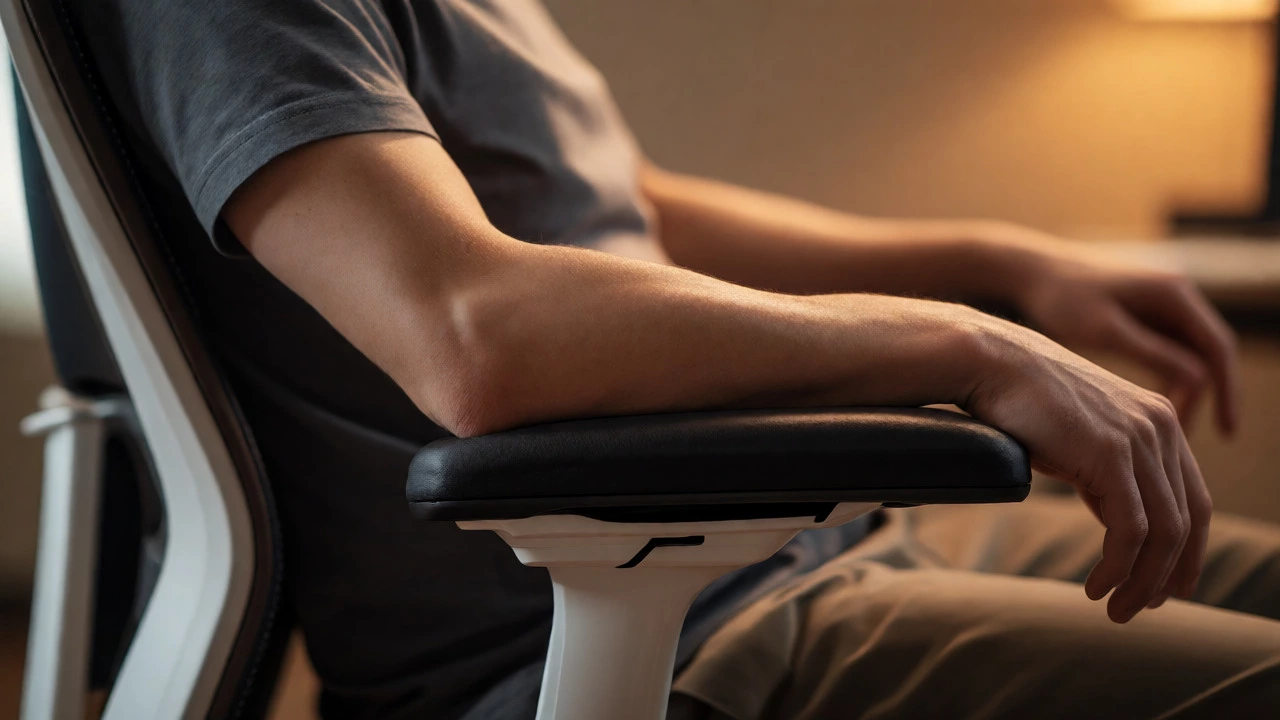
Armrests are horizontal supports attached to the sides of a chair that allow users to rest their forearms. They sound helpful. And they can be. But bad armrests cause more pain than no armrests at all. If your shoulders hunch up because the arms are too high, you’re creating tension headaches. If they’re too low, your elbows drop, pulling your chest forward. That’s kyphosis waiting to happen.
The Case Against Armrests
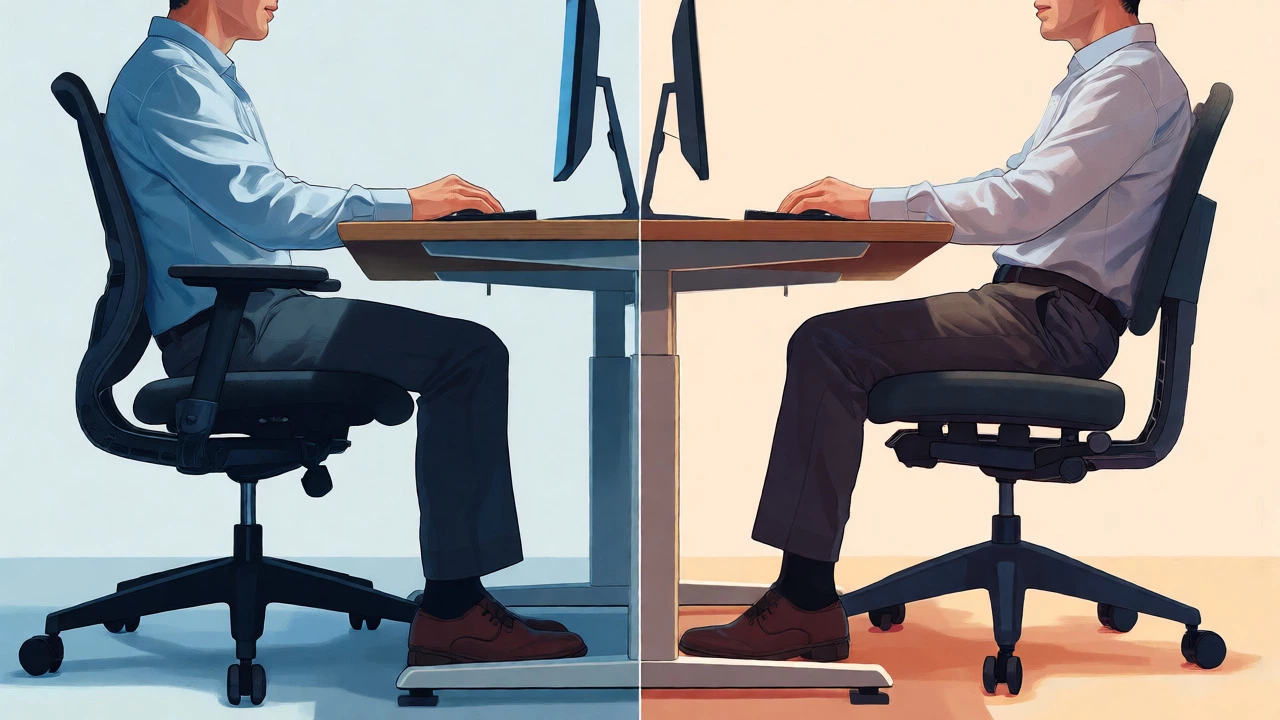
Let’s start with why many ergonomists hate standard office chair arms. The biggest issue? Interference. Most desks have a lip or an overhang. If your armrests don’t slide under the desk, you can’t pull close enough to your keyboard. Your reach extends. Your shoulders roll forward. This is called "forward head posture," and it strains the cervical spine.
Think about deep work. When you lean in to read fine print or type quickly, you need freedom. Fixed armrests block that movement. You end up sitting upright like a statue, unable to shift weight naturally. Micro-movements-shifting left, leaning right-are crucial for spinal health. Static sitting kills discs. Armrests often lock you into static positions unless they are highly adjustable.
There’s also the space factor. In small home offices, every inch counts. An armless chair fits tighter spaces. You can tuck it completely under a narrow desk. You can rotate it freely without bumping into walls or monitor stands. For gamers or coders who use wide keyboards, armrests can physically block mouse movement if the pad is large.
When Arms Are Essential
So, should you ditch them entirely? Not necessarily. Armrests shine when you take breaks. If you spend half your day on phone calls, video chats, or reading reports, resting your arms reduces shoulder load. Gravity pulls your arms down. Without support, your trapezius muscles (the ones between your neck and shoulders) stay engaged all day. That leads to fatigue by 3 PM.
Consider your body type. Heavier individuals often benefit from sturdy armrests. They provide leverage for standing up. Pushing off the arms engages larger muscle groups, sparing the lower back. If you have weak core strength, this assistance matters. Also, people with certain disabilities or mobility issues rely on arms for stability when transitioning from sitting to standing.
Then there’s the psychological comfort. Some people feel contained and secure with arms. It’s like a hug from the chair. If you find yourself slouching without them, arms might act as a physical boundary that reminds you to sit back. But this only works if the arms are padded and positioned correctly.
The Adjustability Trap
Here is the critical mistake most buyers make: they buy fixed-arm chairs thinking they’ll adjust their posture to fit the chair. Wrong. The chair must fit you. If you cannot change the height, width, or depth of the armrests, you are gambling with your spine.
Look for 4D adjustable armrests. What does that mean?
- Height: Up and down movement to match elbow level.
- Depth: Forward and backward movement so your upper arm rests fully, not just your wrist.
- Width: Pivoting inward or outward to bring elbows closer to your torso.
- Pivot: Rotating the pad angle to support natural forearm rotation.
If your budget allows, skip fixed arms. Choose armless if you want simplicity and desk clearance. Choose high-end adjustable arms if you need support during breaks. Avoid mid-range fixed arms. They offer the worst of both worlds: bulk without utility.
Desk Compatibility Check
Your desk dictates the answer more than your preference. Measure the distance from the floor to the underside of your desk top. Now measure the height of the armrests when set to their lowest position. If the armrests are higher than the desk underside, you cannot sit close. Full stop.
| Factor | Choose With Arms | Choose Without Arms |
|---|---|---|
| Desk Type | Open front, no drawer lip | Standard desk with drawers/lip |
| Work Style | Frequent breaks, phone calls | Deep focus, active typing |
| Space | Large room, spacious layout | Small corner, tight quarters |
| Mobility | Need help standing up | Highly mobile, frequent repositioning |
| Budget | Can afford 4D adjustments | Tight budget (fixed arms often poor) |
Many modern ergonomic chairs, like those from Herman Miller or Steelcase, offer "flip-up" arms. These pivot out of the way when needed. They are a great compromise. But remember, even flip-up arms add weight and cost. If you never use them, you paid for dead weight.
Posture Impact: The Science Bit
Ergonomics isn’t magic. It’s physics. When your elbows rest at 90 degrees, supported by armrests, your deltoid muscles relax. Studies from the Occupational Safety and Health Administration (OSHA) highlight that unsupported arms increase muscle activity in the shoulders by up to 20%. Over time, this causes repetitive strain injuries.
However, incorrect support is worse than none. If your armrests force your elbows wider than your hips, you abduct your arms. This opens the chest but strains the rotator cuff. If they push your elbows too far forward, you round your shoulders. The sweet spot? Elbows close to the body, forearms parallel to the floor, wrists neutral.
Try this test. Sit in your current chair. Remove the armrests if possible. Or just lift your arms slightly above them. Do your shoulders drop? Does your neck feel less tense? If yes, your current armrests are likely too high or too rigid.
Alternatives to Traditional Arms
If you hate fixed arms but need support, look beyond the chair itself. Monitor arms free up desk space, allowing you to move closer. Keyboard trays let you adjust height independently of the chair. A footrest ensures your feet are flat, stabilizing your pelvis. When your base is stable, you need less upper-body bracing.
Some users opt for external arm supports. These clamp onto the desk edge. They offer height adjustment and padding. You get the benefit of resting your arms without the chair interfering with desk access. It’s a modular approach. You can remove them instantly if they annoy you.
Another trend is the "task chair" design. These often come armless by default. They prioritize mobility and compactness. Popular in open-plan offices, they encourage dynamic sitting. You lean, twist, and shift. The lack of arms removes barriers to movement. Pair these with a good lumbar support pillow, and you cover the main ergonomic bases.
How to Decide in 5 Minutes
Don’t overthink it. Follow this quick decision tree:
- Check your desk. Can an armless chair slide fully under it? If no, you need arms that flip up or are very slim.
- Analyze your day. Do you spend more than 30% of your time away from the keyboard (reading, talking)? If yes, prioritize adjustable arms.
- Test the reach. Sit at your desk. Extend your arms to the keyboard. Do your shoulders shrug? If yes, you need lower arm support or no arms at all to allow slouching slightly.
- Assess your body. Do you struggle to stand up? Get arms. Are you lightweight and agile? Skip them.
- Budget reality. Can you buy a chair with 4D arms? If not, buy armless. Fixed arms are usually a waste of money.
Remember, the best chair is the one you forget you’re sitting in. If armrests create friction-physical or mental-they fail their purpose. Comfort is subjective, but pain is objective. Listen to your body, not the salesperson claiming "more features equal better."
Frequently Asked Questions
Do armrests prevent shoulder pain?
They can, but only if adjusted correctly. Properly positioned armrests reduce the load on your trapezius muscles by supporting the weight of your arms. However, if they are too high, they cause shoulder elevation and pain. If they are too low, they offer no relief. Adjustable arms are key to preventing pain; fixed arms often cause it.
Is it okay to sit without armrests all day?
Yes, provided your desk height is correct and you maintain proper posture. Many ergonomic experts prefer armless chairs for active workers because they allow greater range of motion and easier access to the desk. Just ensure your keyboard and mouse are at elbow height so you aren't reaching upward, which strains shoulders.
What are 4D armrests?
4D armrests offer four directions of adjustment: height (up/down), depth (forward/back), width (in/out/pivot), and sometimes lateral sliding. This allows precise customization to your body dimensions and desk setup, ensuring optimal elbow support regardless of your size or working style.
Do armrests affect blood circulation?
Hard or narrow armrests can compress the ulnar nerve or restrict blood flow in the forearms if you rest your entire arm weight on them continuously. Soft, padded, and wide armrests minimize this risk. It's best to use them intermittently rather than locking your arms in place for hours.
Which is better for gaming chairs, arms or no arms?
Gaming chairs almost always include armrests because gamers often recline significantly. When reclined, gravity pulls the arms down, requiring support to prevent shoulder strain. Additionally, gamers use controllers or mice extensively while leaning back, making arm support crucial for endurance during long sessions.